
Open Access publishing
FUND
The OA FUND is completely exhausted for 2026!
In addition to publication tokens, BC supports Open Access publishing through the BC Director's OA Fund. Authors from the Biology Centre can thus apply for a grant to cover up to 50% in cases where, for example, the journal does not allow the use of the aforementioned tokens.
TOP15
Only publications with an AIS (Article Influence Score) above 1.2 or in the TOP 15% will be supported.
Corresponding Author
The publication must be based on research conducted primarily at the Biology Centre (corresponding author employed at BC; exceptionally at least one of authors).
50 %
Authors may generally apply for funding from the Fund up to 50% of the costs invoiced to BC.
Manuscript
Along with the application (below), submit your original manuscript, either the original submitted manuscript or the one accepted after the peer-review.
Other funding
Authors are required to indicate any support for publication costs obtained from other funds.
Twice a year
A particular team of authors may receive the support from the Fund no more than twice in a given calendar year.
Invoice
Authors are required to submit the request form together with payment instructions (proforma, invoice, etc.). Refund requirements for co-financing of publication costs from OA Fund already paid from other sources will not be accepted.
Project
Requirements for co-financing of non-mandatory open access fees will only be accepted if the open access is required by the provider of research funding.
First come, first served…
Applications may only be granted until the Fund is drained in a given calendar year.
Fill out the form below to receive support. Applications submitted in any other way will not be taken into consideration!
How do I find the Article Influence Score and quartile?
- Go to the Web of Science page (https://www.webofscience.com/wos/woscc/basic-search).
If you are using a computer with a BC IP address (or one from another institute of the Czech Academy of Sciences), you should be automatically logged in. You’ll see the search bar in WoS. If you are not logged in (e.g., you are not on the BC network or connected via VPN), the login page will open automatically. On the login page, click the “Select institution” drop-down menu. In the menu, select “Czech academic identity federation eduID” and confirm by clicking “Go to institution.” Select the Library of the Academy of Sciences and log in using the credentials you received from the Library of the Academy of Sciences (you must be registered: https://openscience.bc.cas.cz/elektronicke-informacni-zdroje/).
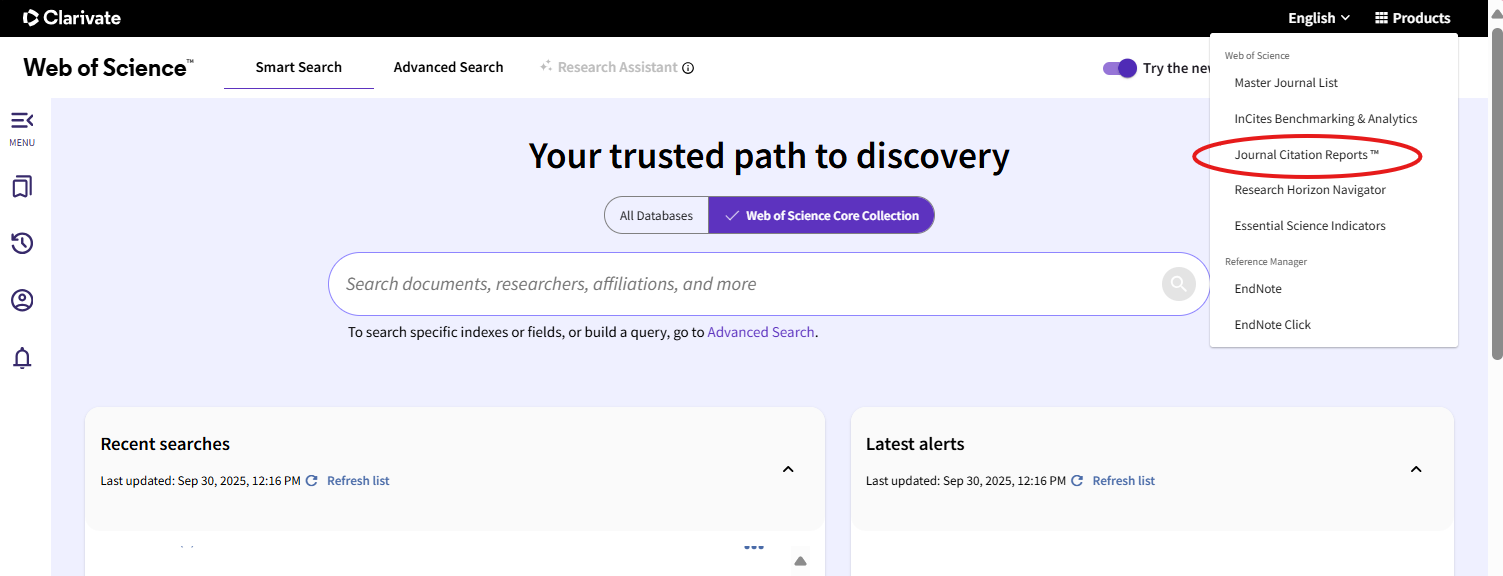
2. In the menu Products, go to Journal Citation Reports.
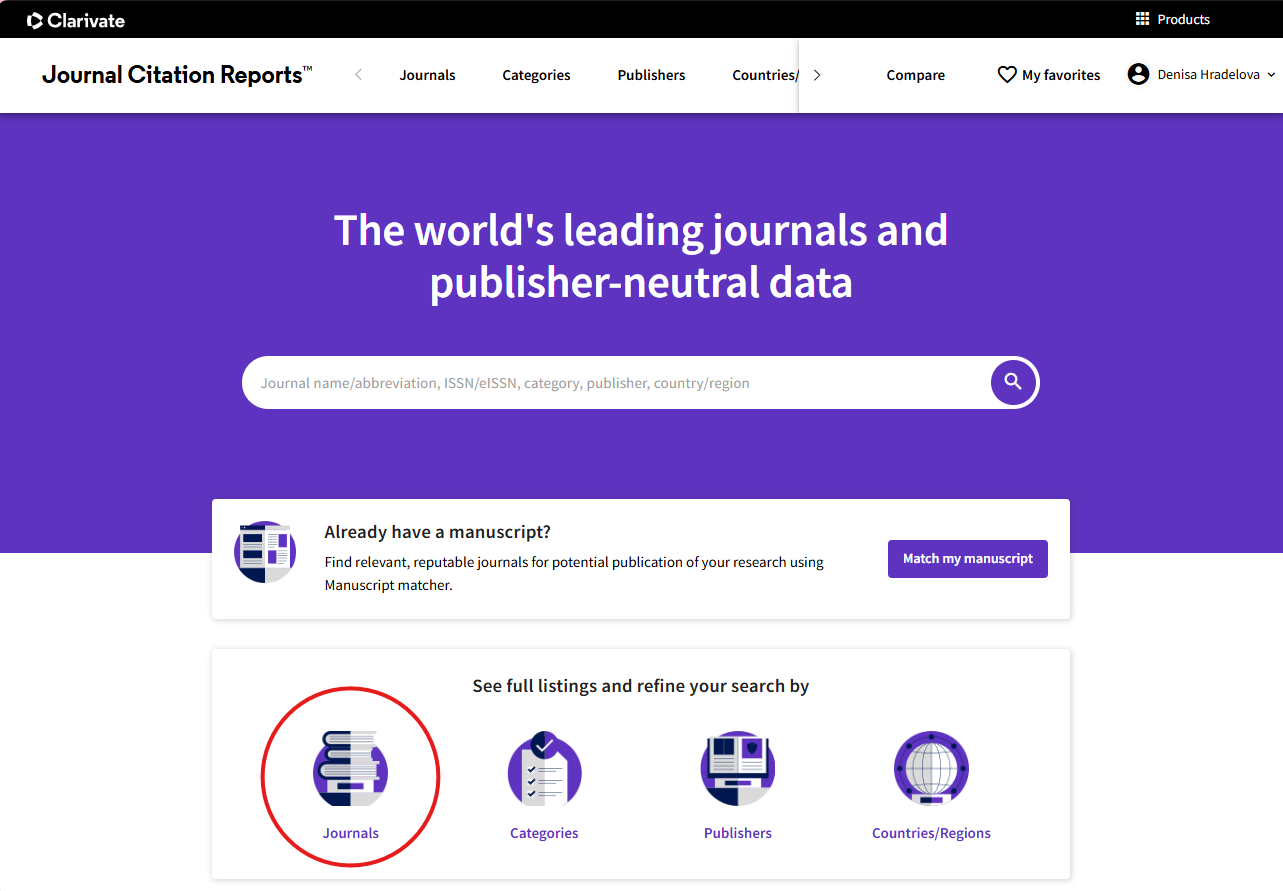
3. Select the "Journals" tab.
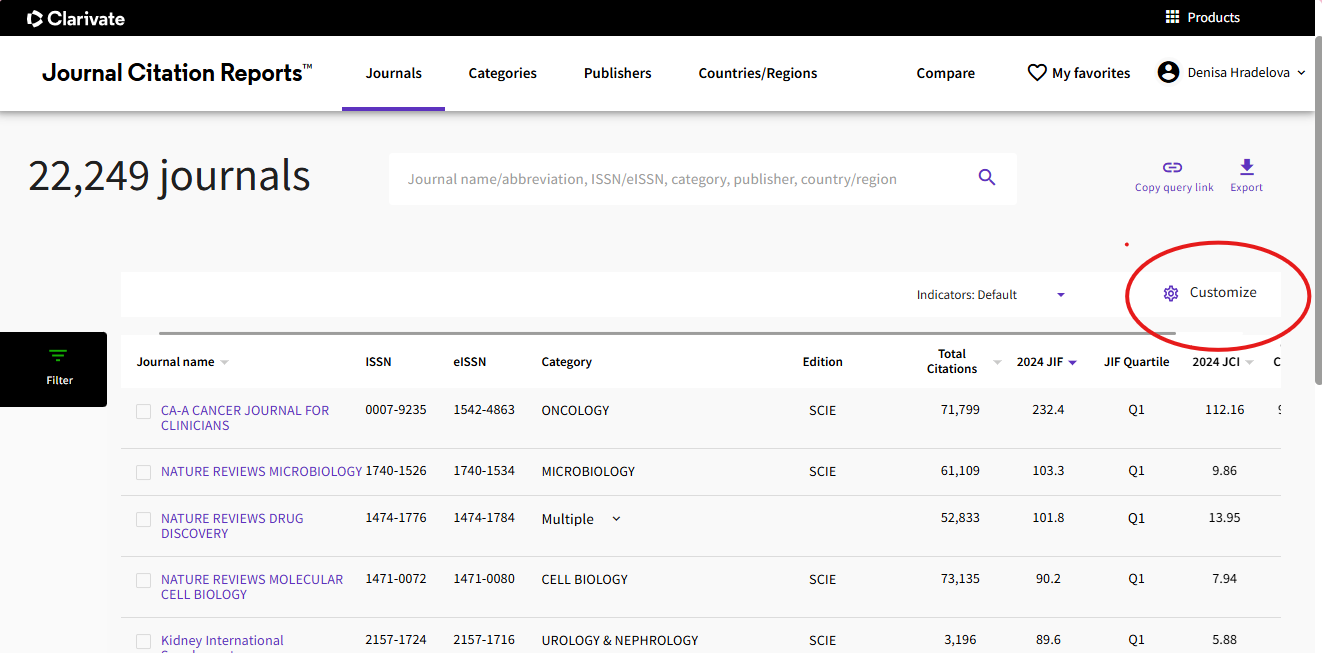
4. Click on Customize.
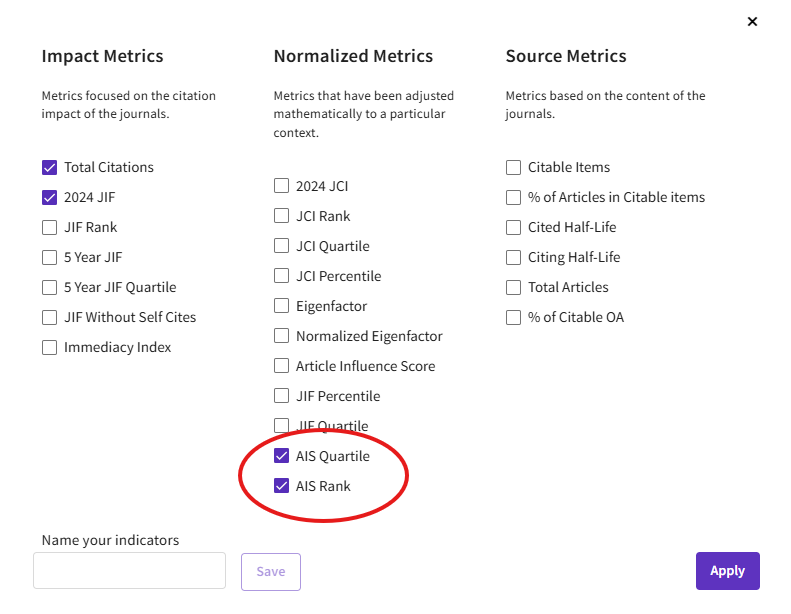
5. Select AIS Rank and AIS Quartile, or Article Influence Score. and click Apply.
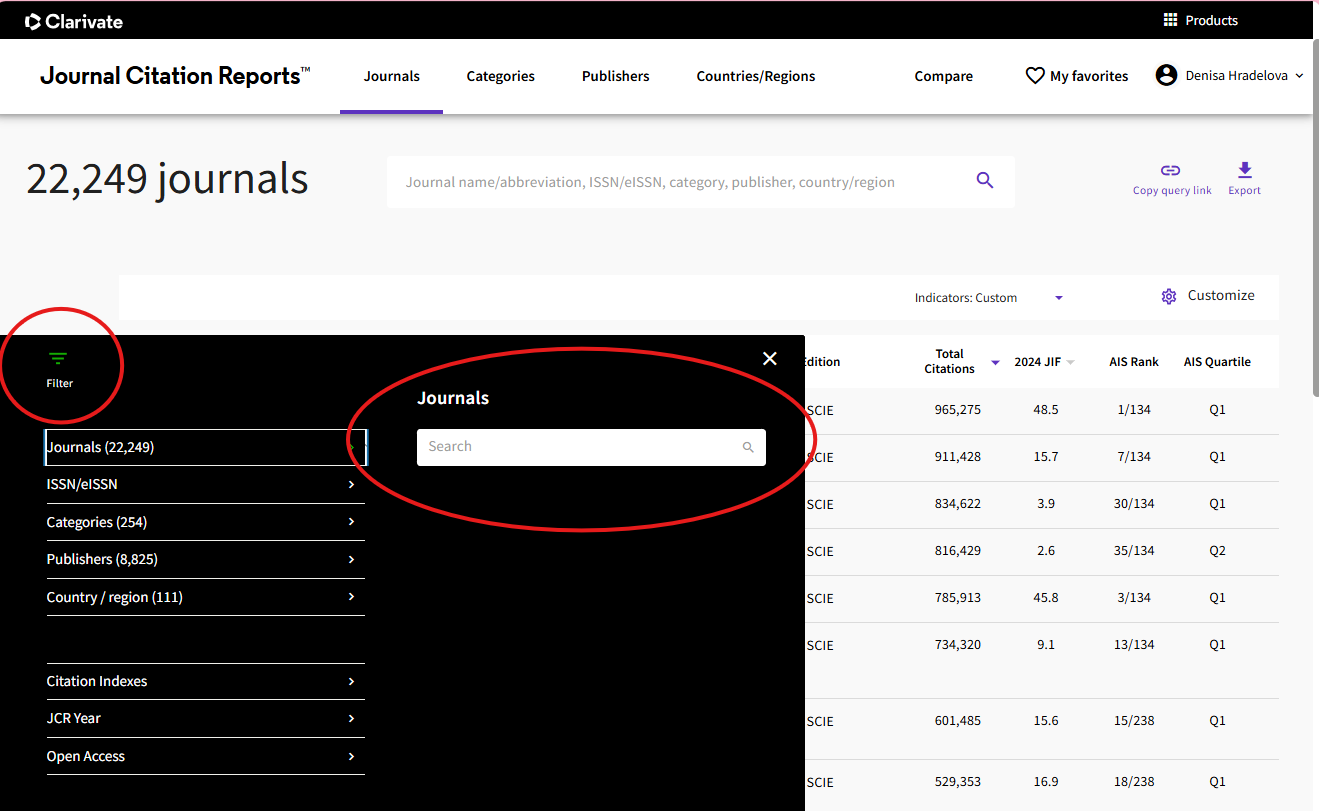
6. Search by journal title or ISSN..
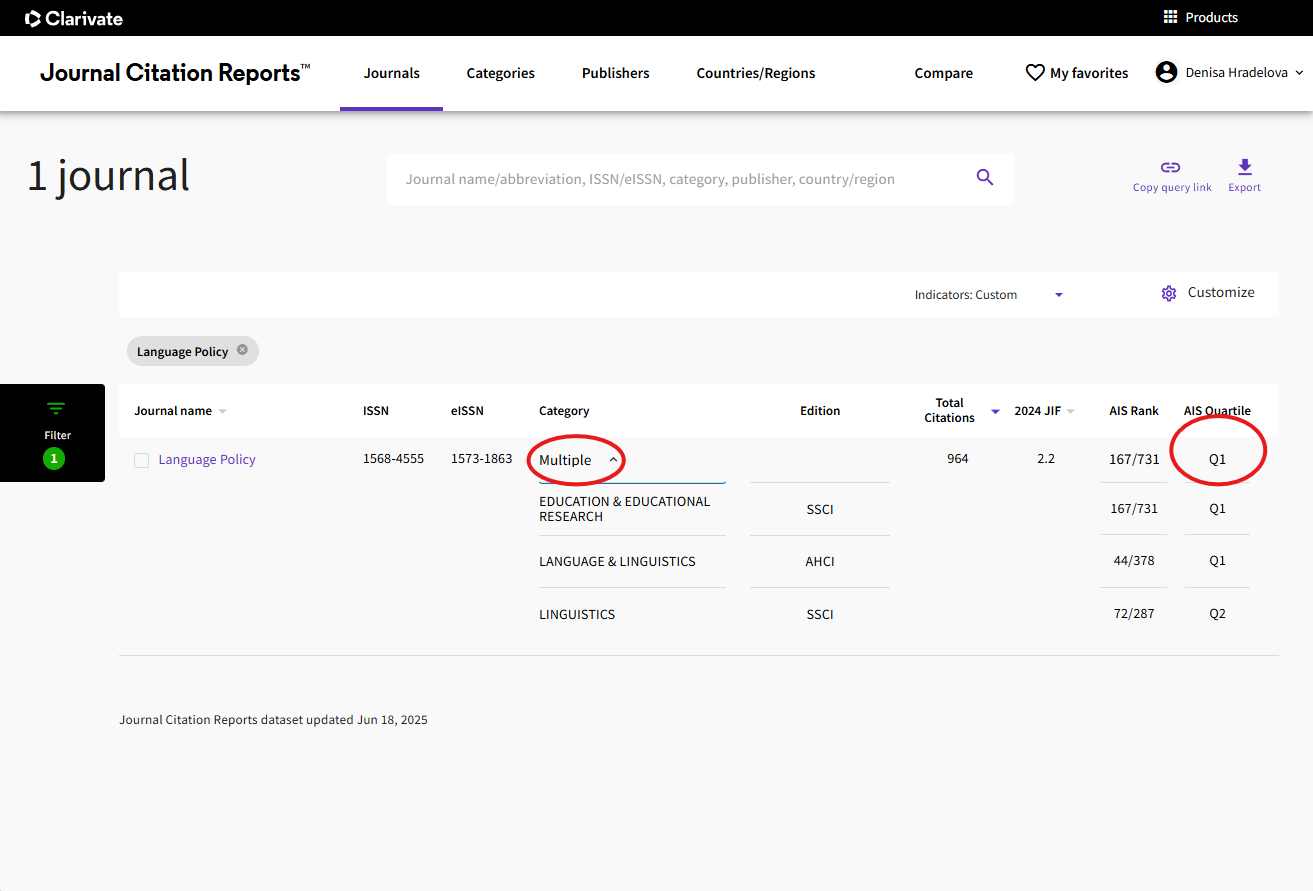
7. If a journal is listed in multiple categories, the highest quartile achieved is always used.